
How to Download Videos Using ATNverse Software (Step-by-Step Guide)
ATNverse Video Downloader allows you to download videos in HD and 4K quality from platforms like YouTube, Instagram, Facebook, and more. Follow the simple steps below to install and start downloading videos on your computer.
Step 1: Open Any Video Downloader Page
Go to the Any Video Downloader page from the ATNverse website menu.
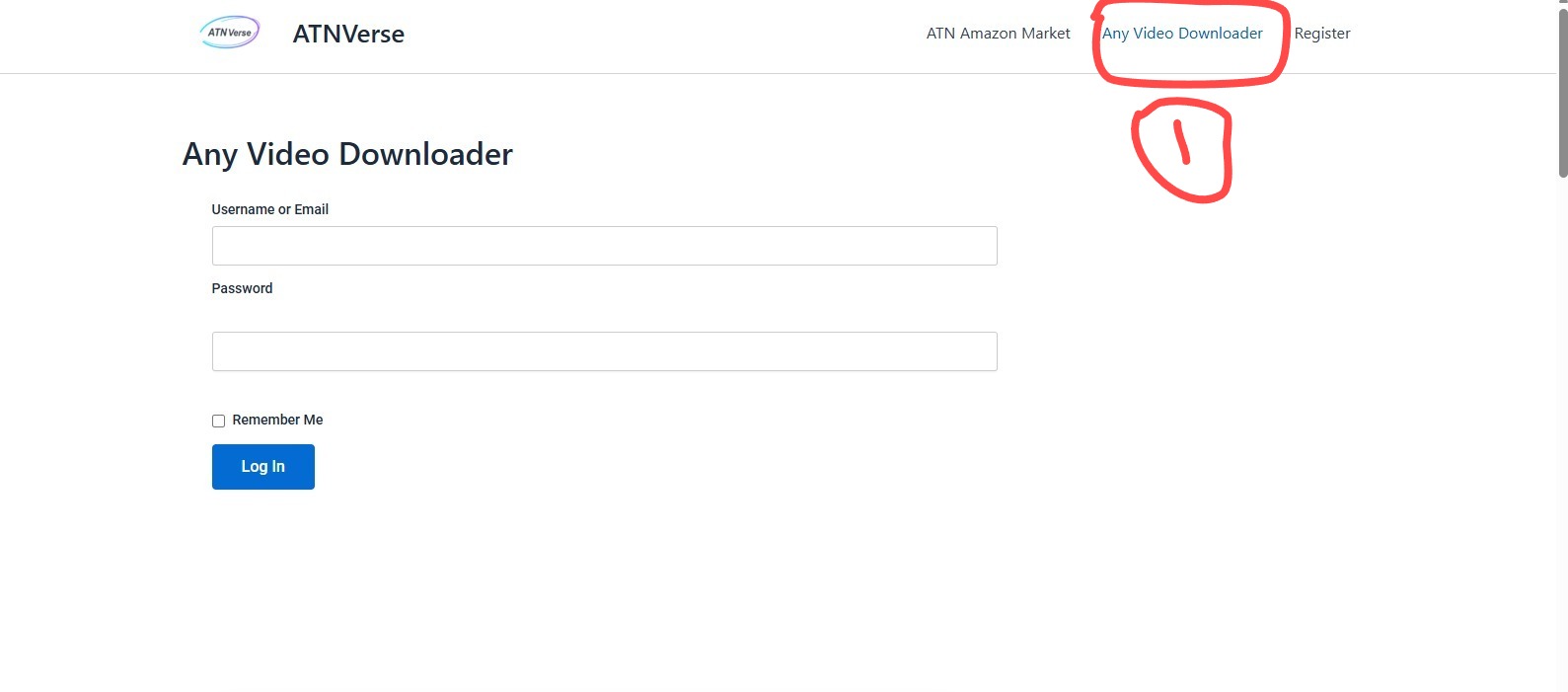
Step 1: Open Any Video Downloader page from ATNverse website
Step 2: Download the Software
Scroll down and click on “Download ATNverse Software”.
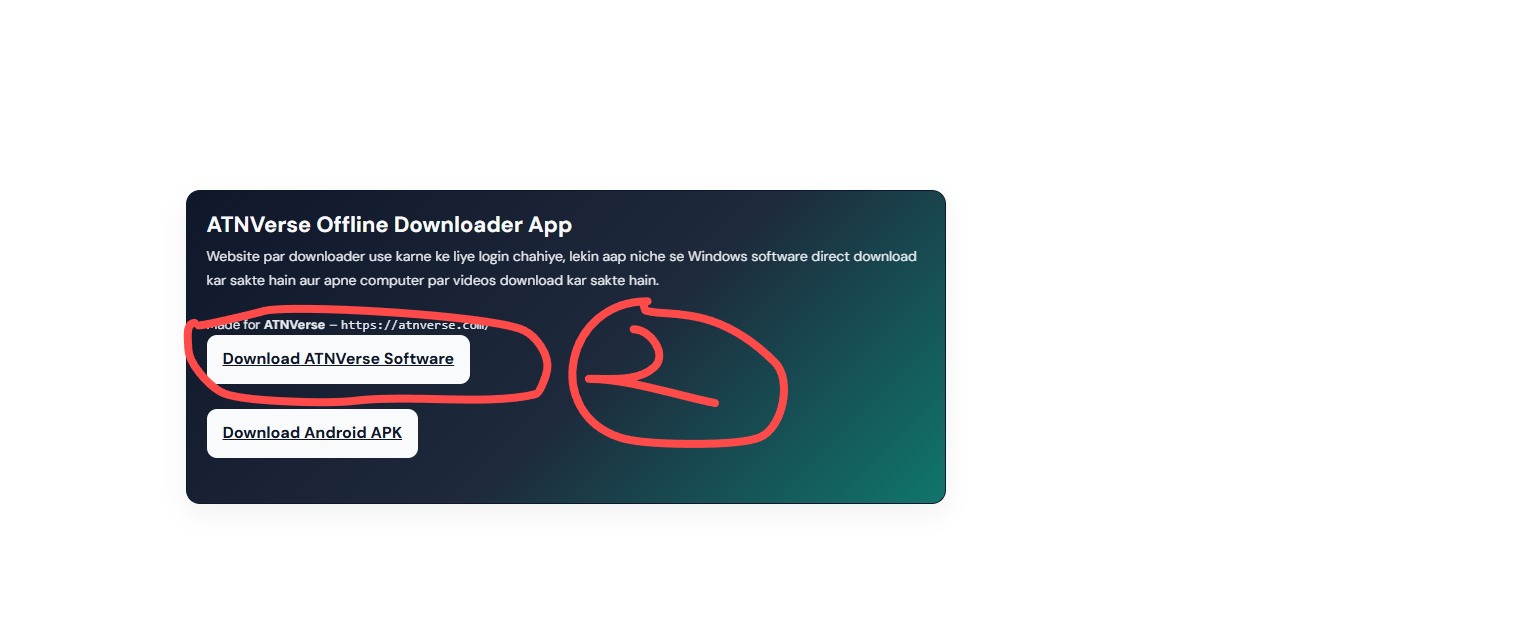
Step 2: Click on Download ATNverse Software button
Step 3: Windows Security Warning
When opening the file, Windows may show a security warning. Click on “More Info”.
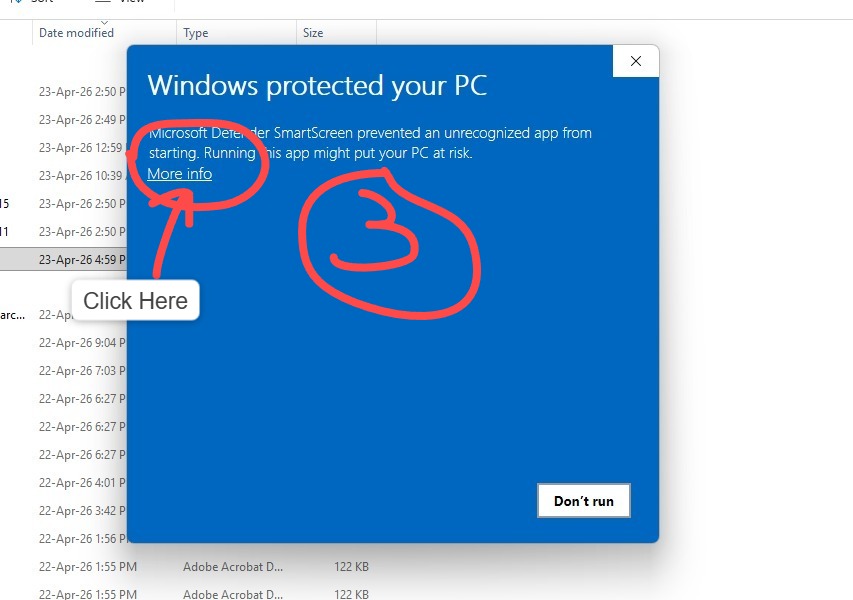
Step 3: Windows security message appears
Step 4: Run the Software
Click on “Run Anyway” to continue installation.
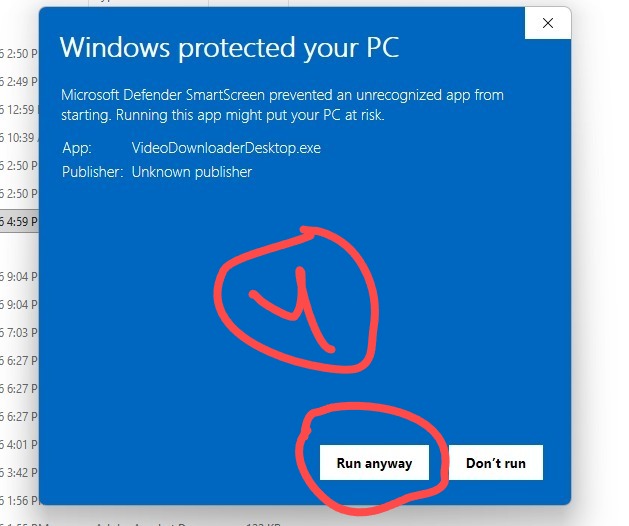
Step 4: Click Run Anyway
Step 5: Open Software Interface
Once installed, the ATNverse software will open on your desktop.
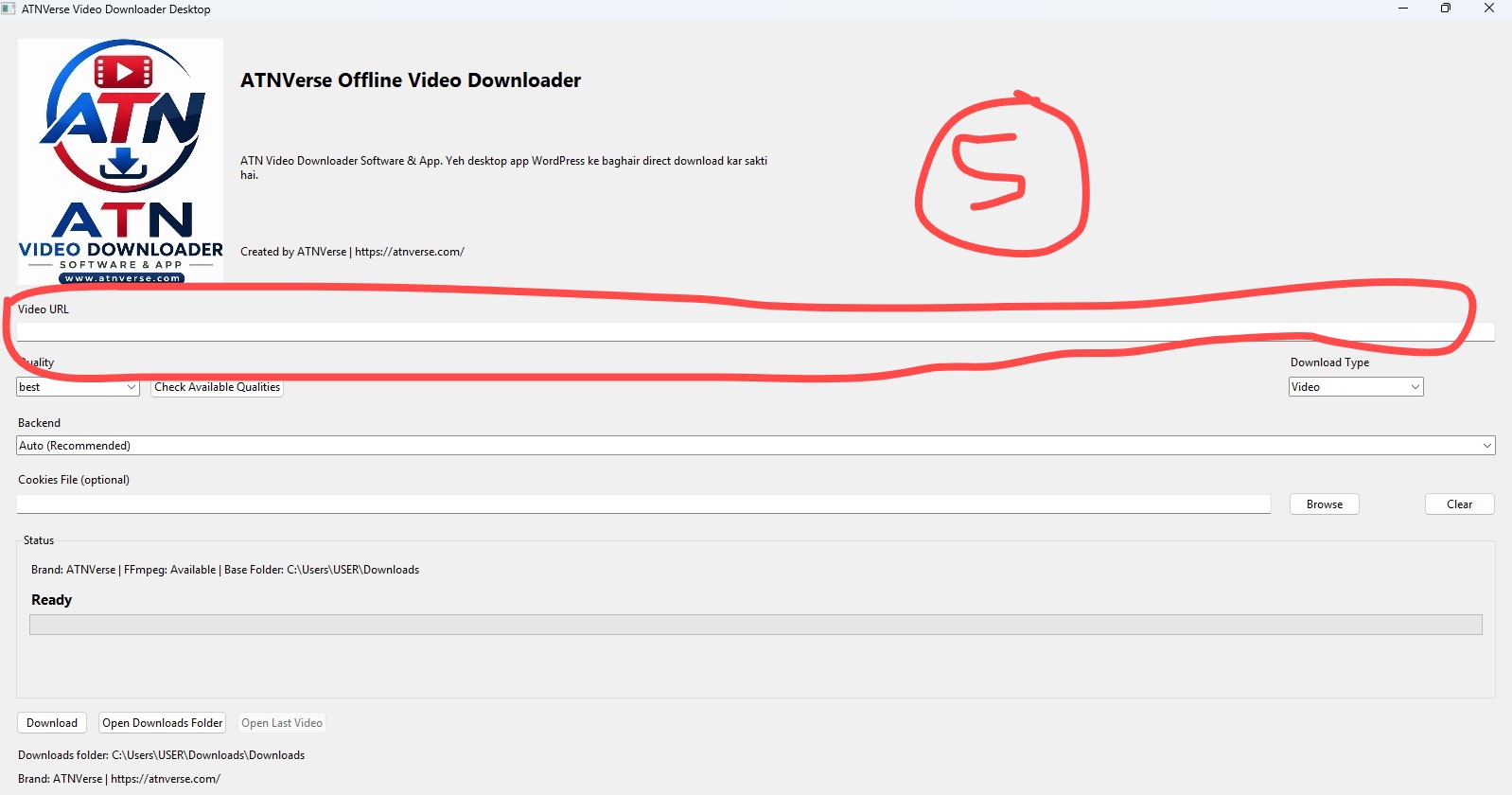
Step 5: Software interface opens
Step 6: Paste Video Link
Copy any video link and paste it into the Video URL box. Select quality and format.
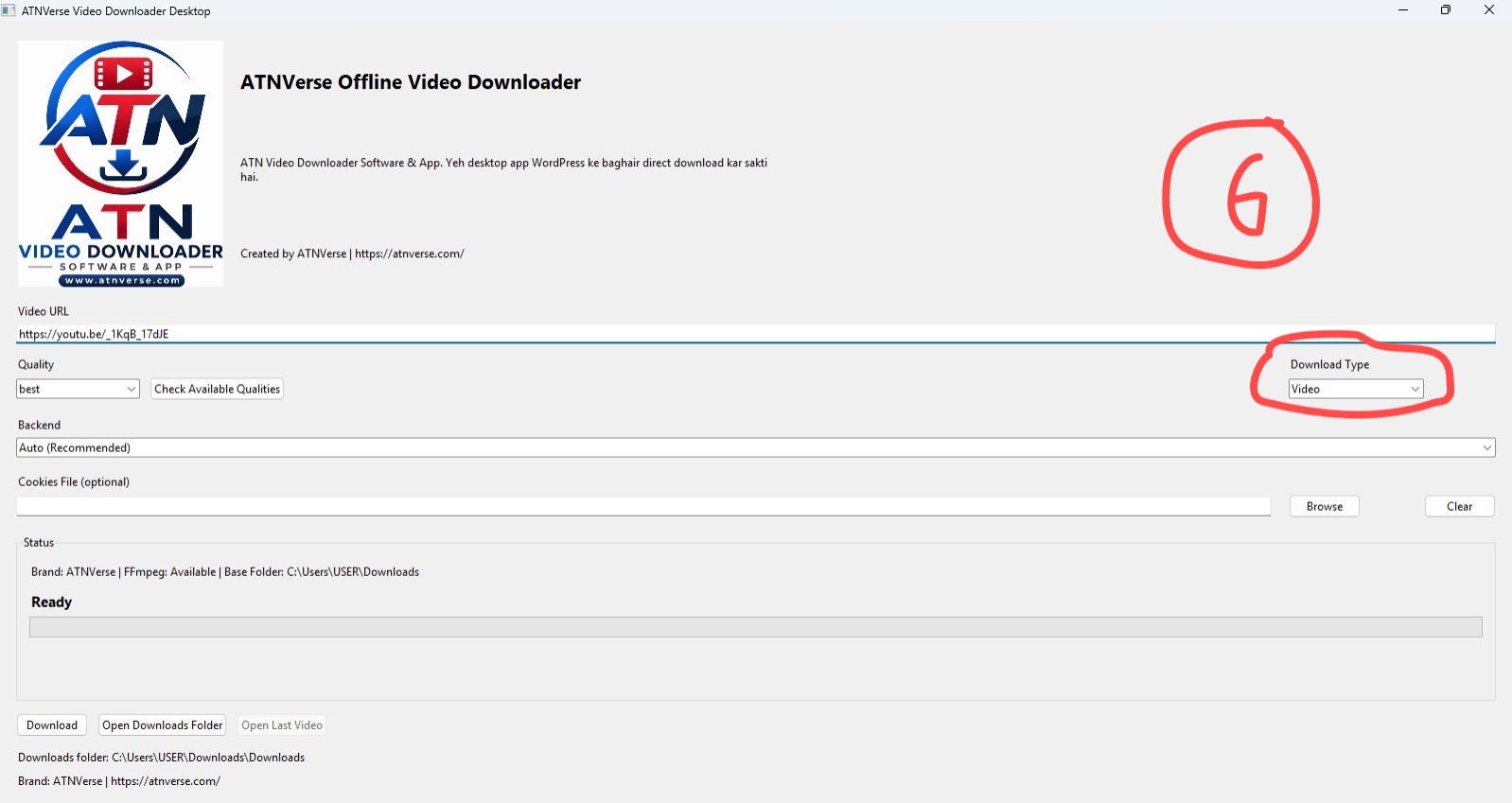
Step 6: Paste video link and choose format
Step 7: Start Download
Click the Download button to start downloading the video.
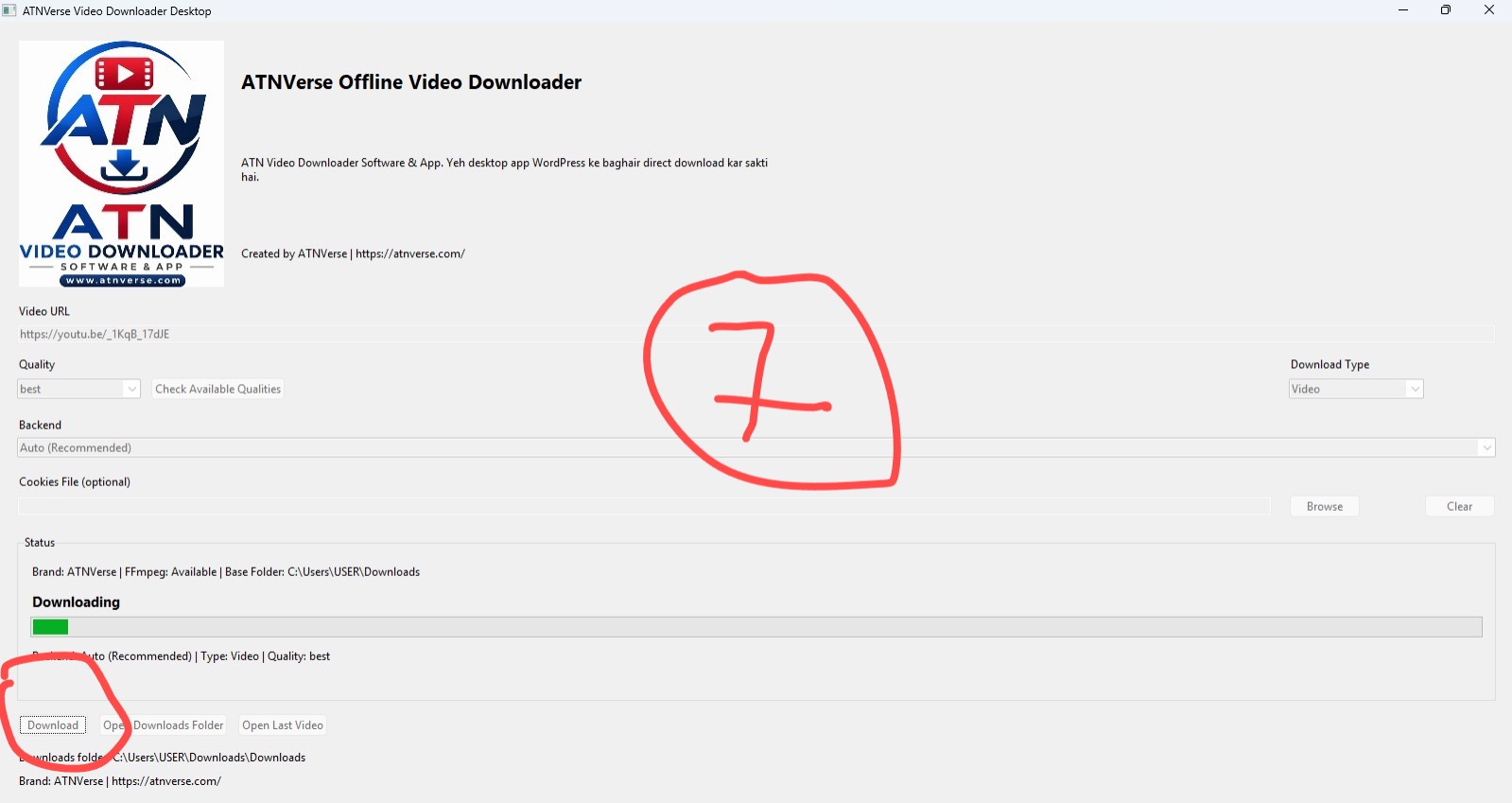
Step 7: Download process started
Step 8: Download Completed
Once the download is complete, your file will be saved in the Downloads folder.
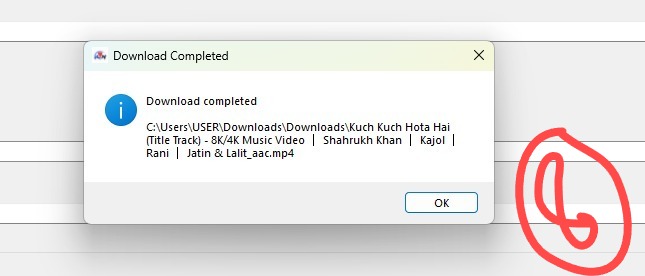
Step 8: Download completed successfully
Features of ATNverse Video Downloader
- Download videos in HD & 4K quality
- Fast and secure processing
- Supports multiple platforms
- Simple and easy-to-use interface
- No technical knowledge required
Start Downloading Now
👉 Use ATNverse Video Downloader
Important Note
Please use this tool for personal use only. Respect copyright rules and platform policies.
Great content! Keep up the good work!